
Maya is the official voting partner of
miss universe philippines

U have the the power to choose the country's next representative on the global Miss Universe stage

Get free votes everyday

Buy extra votes for your candidates

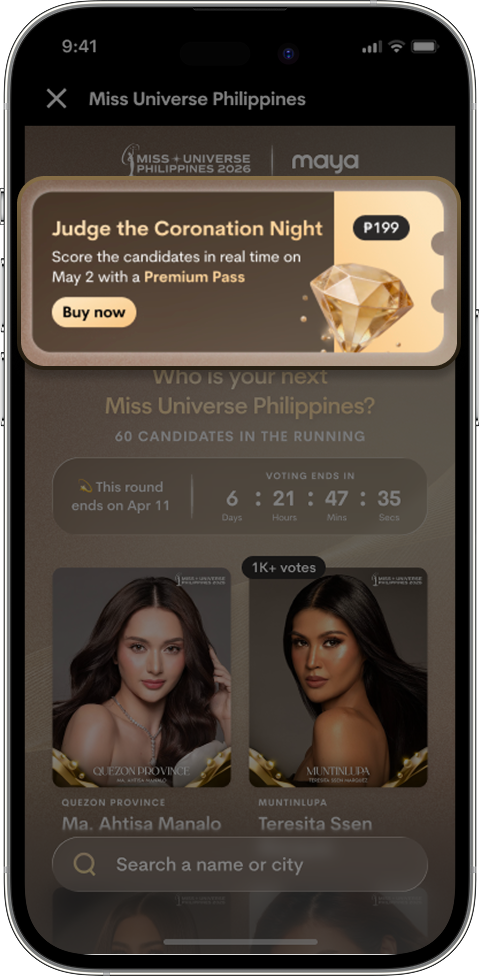
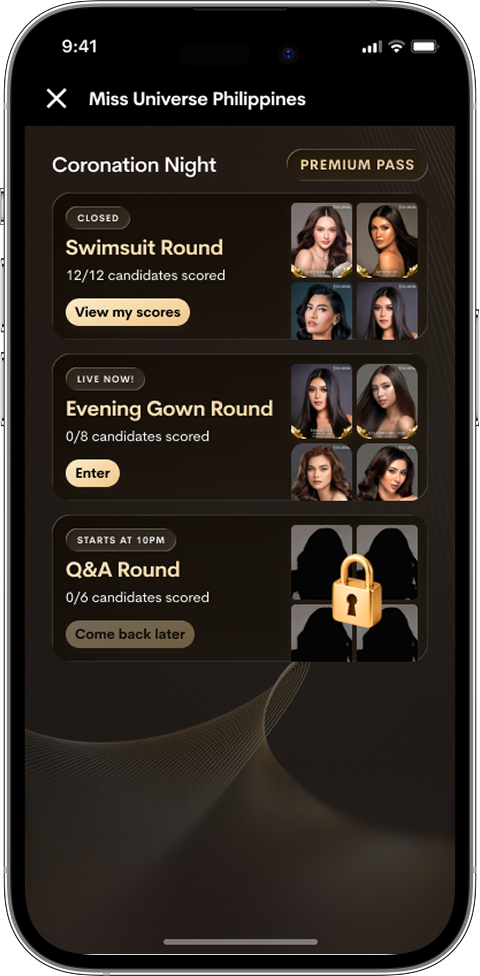
Judge during Coronation Night with a Premium Pass

HOW YOU CAN PARTICIPATE

During the
Preliminary Rounds

April 5 - 11, April 12 - 18, AND April 19 - 25, 2026

Daily free votes

Daily refresh, open to Maya upgraded accounts only

Paid votes

Open to all Maya users, vote as much as you want

During the
Coronation Night

May 1, 2026

Join the live scoring by purchasing a Premium Pass

HOW TO VOTE

  • Daily Free Votes
  • Paid Votes
  • Coronation Night
Step 1
1

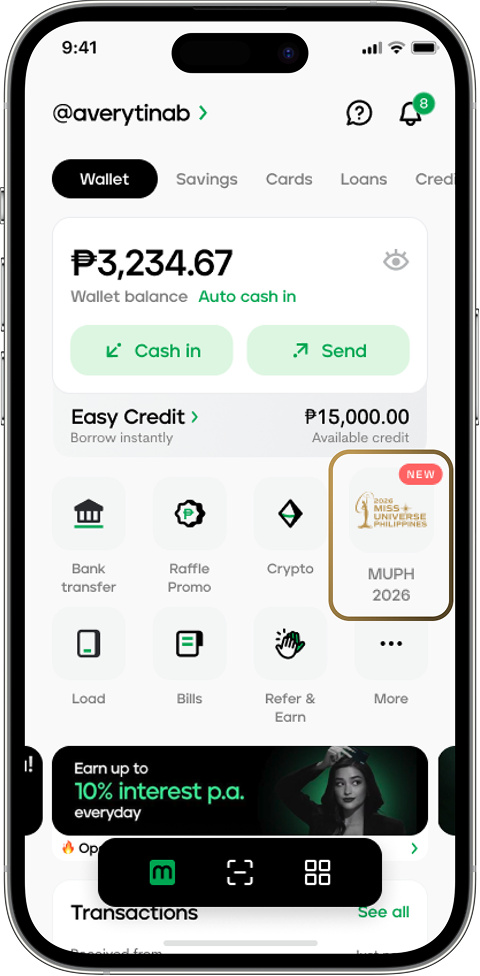
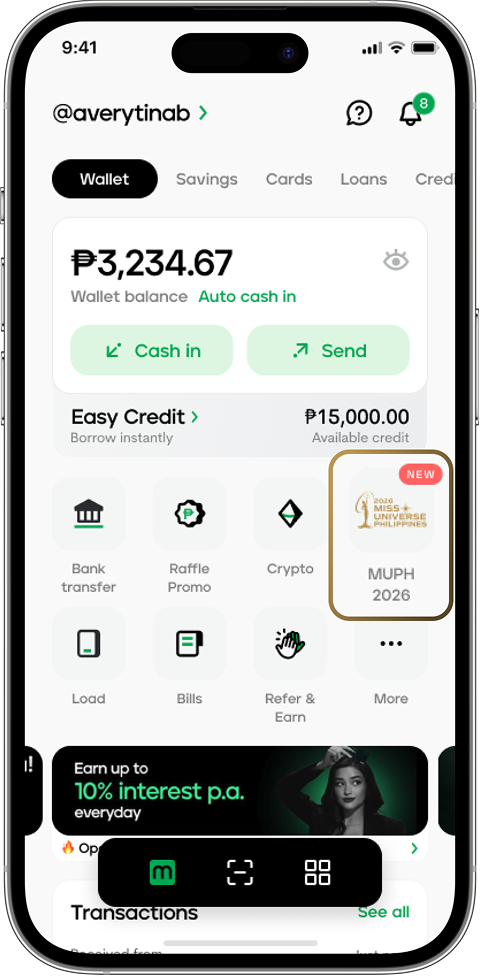
Tap the MUPH 2026 tile on your Maya app

Step 1
2

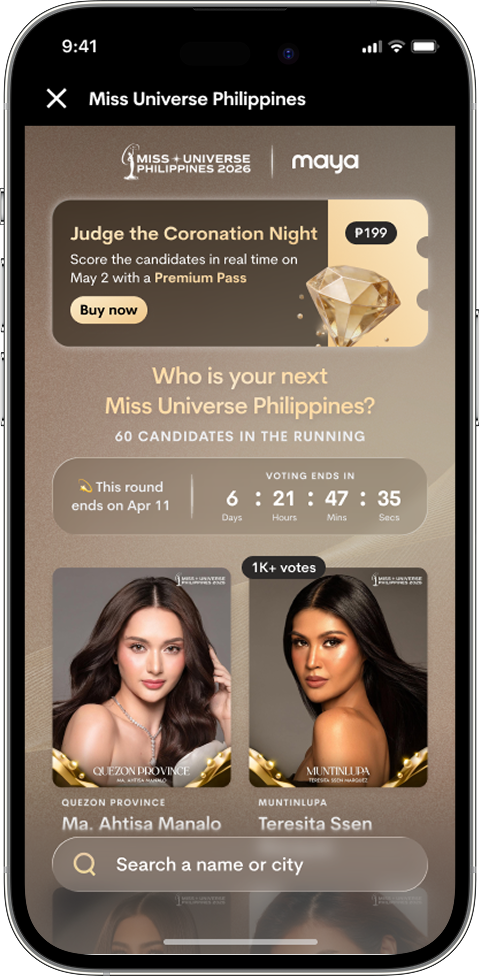
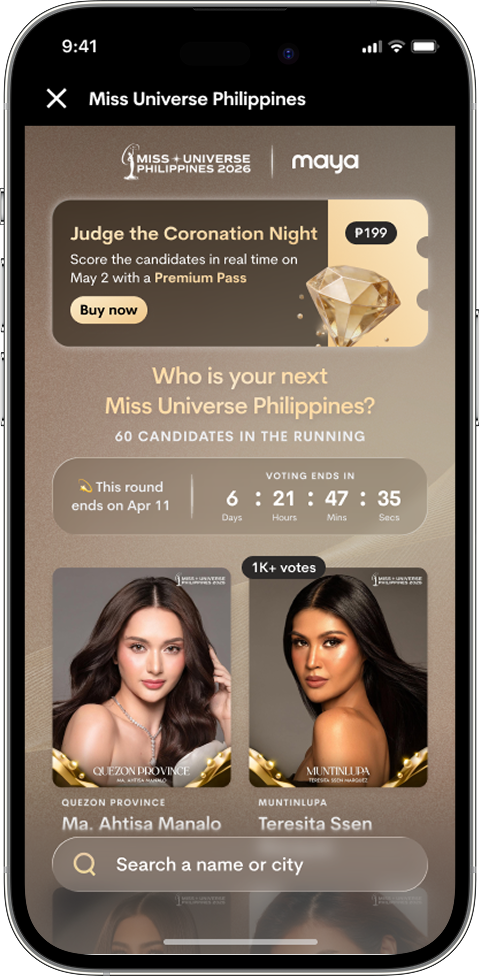
Choose the candidate you want to support

Step 1
3

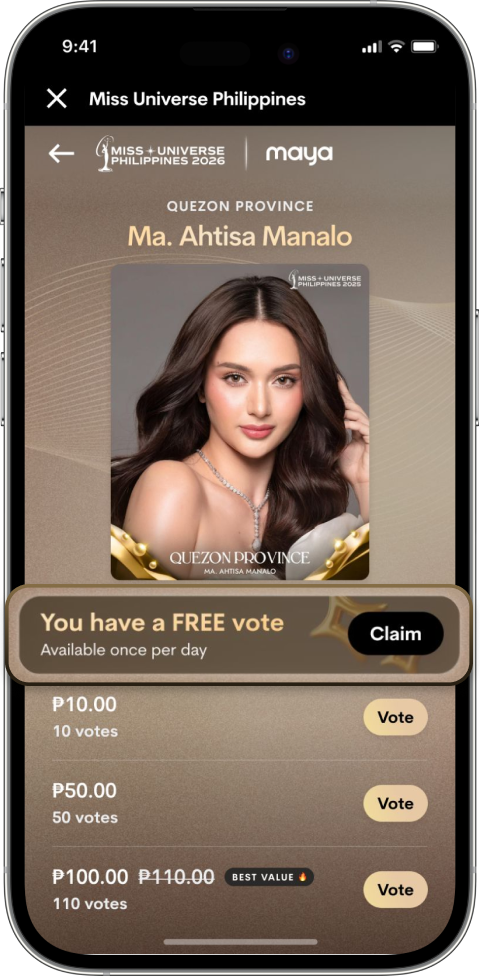
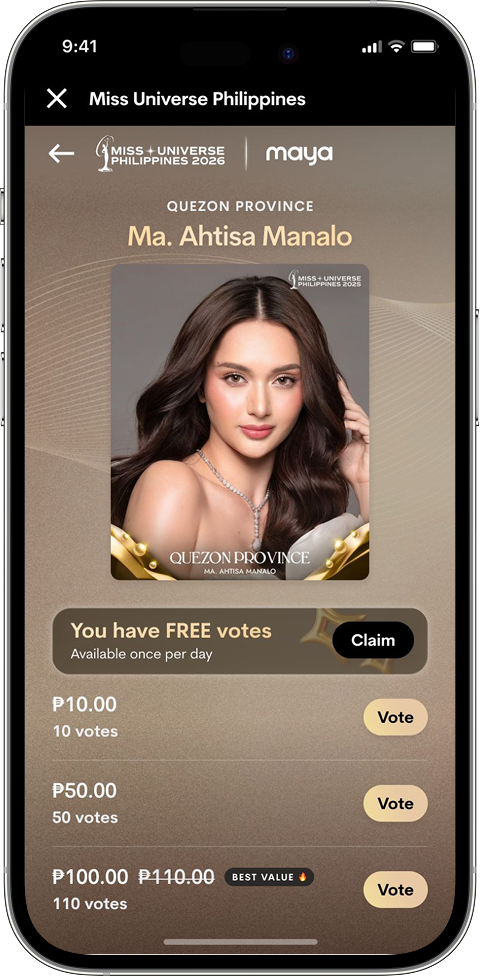
Tap Use to claim your free votes every day

Step 1
4

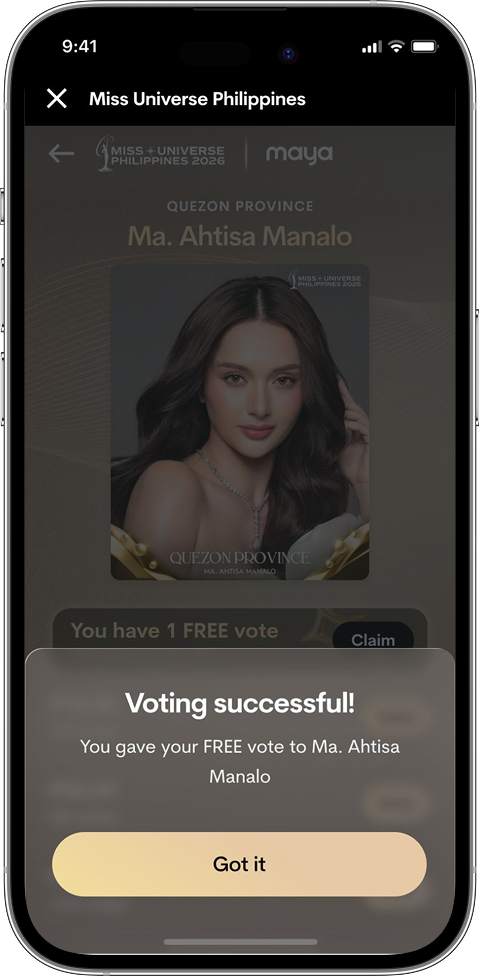
Free votes are now added to your chosen candidate!

Step 1
1

Tap the MUPH 2026 tile on your Maya app

Step 1
2

Choose the candidate you want to support

Step 1
3

Select an amount, then tap Vote 

Step 1
4

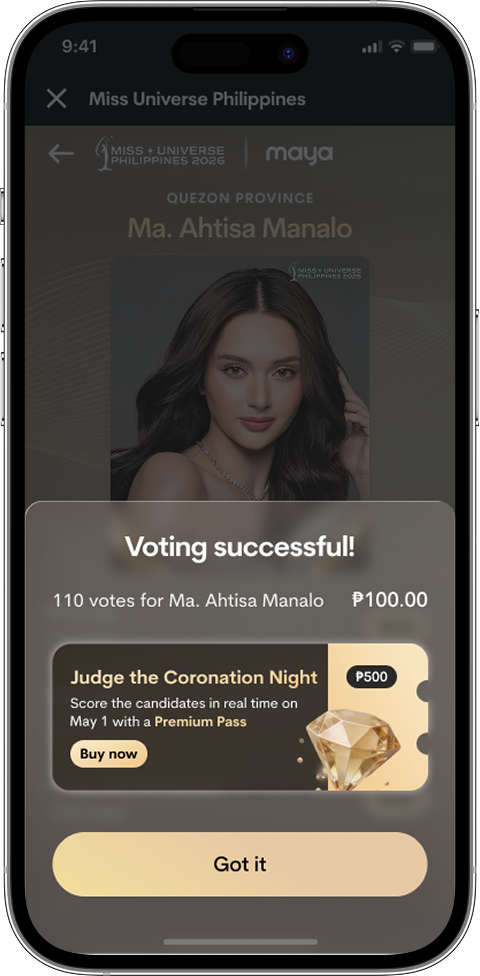
Paid votes are now added to your chosen candidate!

Step 1
1

Purchase a Premium Pass to join the live scoring

Step 1
2

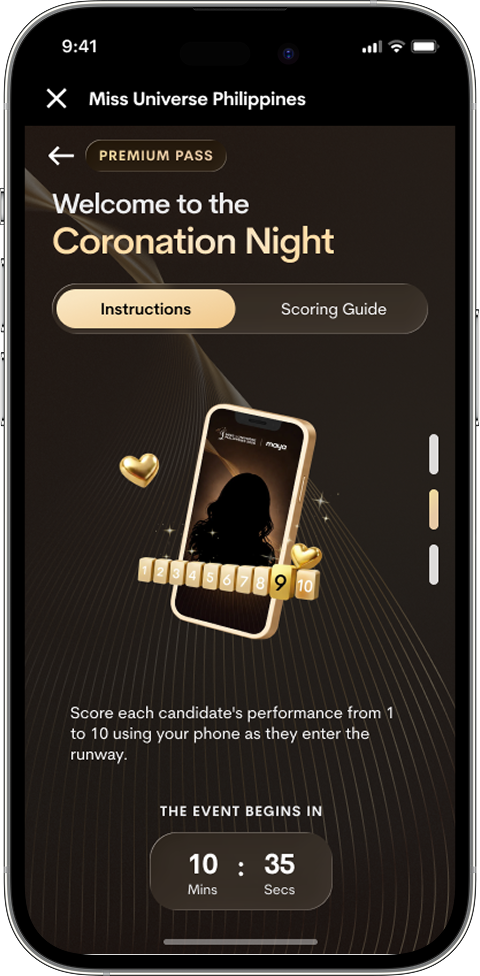
Access the live scoring page during the Coronation Night

Step 1
3

Each scoring round will unlock as the program progresses

Step 1
4

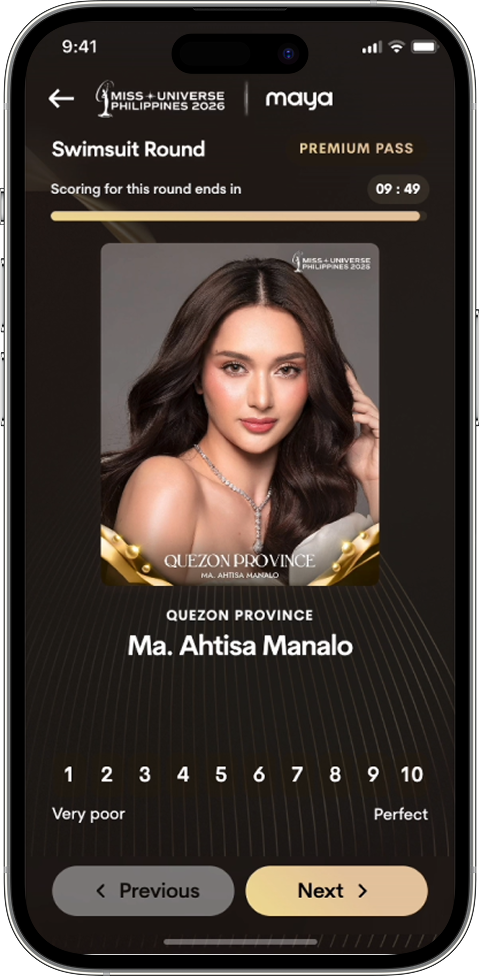
Score the candidate within the allotted time and tap Next 

Step 1
5

Review your scores before moving to the next category

Be part of the Coronation Night

Take part in the live scoring with a
Premium Pass

Get Premium Pass

HOW TO CASH
IN
TO VOTE
WITH MAYA

  • Via partner merchants

  • Via other banks
1

Open Maya then tap Cash In

2

Choose your preferred over-the-counter partner

3

Enter the amount you wish to cash in then tap Continue to receive your cash-in code

4

Present your cash-in code and pay at the counter

5

Wait for confirmation that the amount has been credited to your Maya Wallet

1

Log in to your mobile banking app then initiate a transfer

2

Choose Maya Philippines, Inc. / Maya Wallet as the destination

3

Enter your 11-digit Maya-registered mobile number as the account number

4

Enter the rest of the transaction details

5

Choose InstaPay or PESONet as the transfer method

6

Review the details then complete the transaction

It’s everything and a bank. What more could you need?

For existing PayMaya users, update your app to Maya

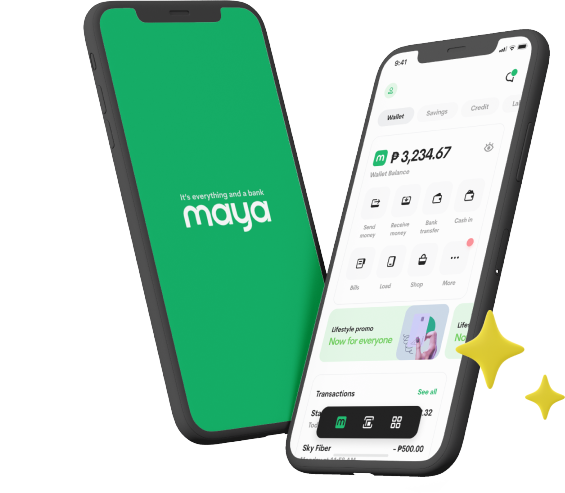
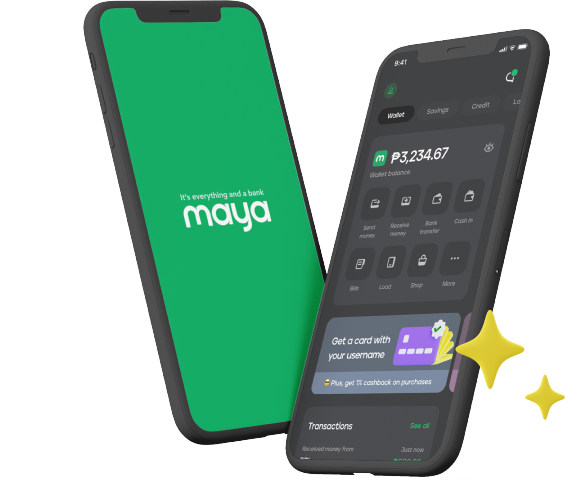
Maya App Light Mode Maya App Dark Mode
Question Mark Icon

Frequently Asked Questions

Need more answers?
Go to Help and Support
Need more answers?
Go to Help and Support