Share


For years, cybersecurity experts have repeated a familiar warning: many breaches don’t start with advanced hacking tools but with everyday lapses made by regular users. It’s a reminder that even the most secure systems can be undermined when people don’t know how to protect themselves. And in a household where devices and networks are often shared, one person’s slip can put everyone at risk.
That’s why digital safety works best when it’s something the whole family understands. At Maya, the #1 digital bank in the Philippines, we’ve seen how confidence grows when people combine smart habits with reliable tools. When families strengthen those habits at home, their financial lives feel noticeably more secure.
If you’ve been looking for practical ways to guide your loved ones, the following tips will give you simple, useful steps to help every member stay safer online.
1. Teach Your Family to Use Strong, Multi-Layered Authentication
Have you ever wondered how easily someone could access an account if a password falls into the wrong hands? It happens more often than people expect, which is why creating layers of protection matters for every family member. Good authentication practices keep accounts secure even when devices are shared or used in busy environments.
Start by helping everyone build habits that strengthen their logins. Whether your family member is a teen in their college years or an elderly individual who’s keen on banking online, you can encourage them to use unique passwords, keep their devices locked, and take advantage of secure verification tools. These simple steps support your goal of protecting yourself from identity theft and card fraud, especially when online activity is part of daily routines.
Reliable modern banking apps make this even easier. Maya, for instance, uses face or fingerprint ID along with one-time passwords by default to ensure that only you can approve important actions. It’s a practical answer whenever someone asks, “Is Maya safe?”, because biometric and time-sensitive verification limit opportunities for unauthorized access. Our state-of-the-art anti-fraud technology adds another layer of defense, giving you more confidence when managing money.
As your family becomes comfortable with multi-step authentication, you establish a reliable foundation for safer digital banking at home.
2. Help Everyone Recognize Suspicious Activity and Keep Accounts Alert-Ready
Imagine checking your balance one morning and noticing a small payment you don’t remember making. While it may seem minor, it’s often the first sign that someone else has gained access to your information. Situations like this can unfold quietly, which is why teaching your family to stay alert is essential.
One helpful habit is reviewing account activity regularly. Show your family what their usual transactions look like so they can quickly recognize anything that feels out of place. When several people share devices or rely on the same home network, this practice is one of the safest ways to keep your money digitally.
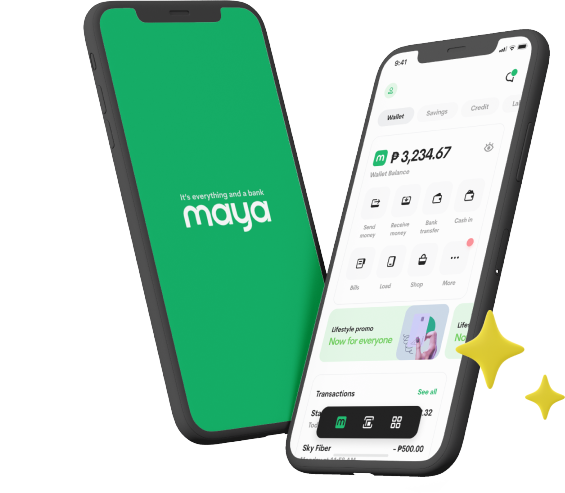
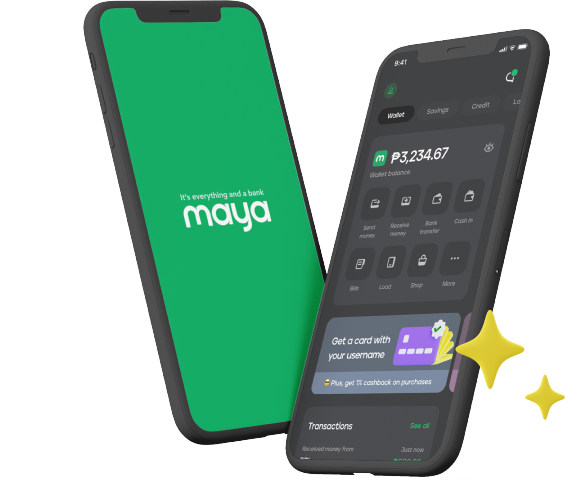
For Maya users, transactions appear in real time, so you can spot unexpected charges as soon as they happen. This visibility is a key Maya security measure, making it easier for families to act quickly if something looks off.
Encourage everyone to switch on notifications and treat unusual alerts with care. This adds a strong layer of awareness to your daily banking routines.
3. Set Spending Limits and App-Level Controls for Every Family Member
Families often share responsibilities for everything from online purchases to household expenses. That shared activity becomes safer when each person knows how to use the controls available in modern banking apps. With the right app controls, you can guide younger users while also giving newcomers to digital banking the confidence to manage transactions safely.
Let’s say you lend a Maya credit card to your child living in a dorm. By setting a spending limit, you can prevent large or unexpected charges while helping the student stay mindful of their budget. It’s a straightforward way to keep household finances organized and avoid surprises during busy months.
Beyond spending caps, Maya offers app-level controls that add another layer of safety. You can freeze or unfreeze your credit card, change your PIN, review linked devices, and manage login options whenever needed. These top security features help answer the question, “Is Maya legit and safe?”, because they give you direct control over how your card and account are used. Instead of relying only on system safeguards, you decide how and when your card can be accessed.
When your family becomes familiar with these tools, everyone gains a clearer sense of how to manage digital payments responsibly and confidently.
4. Prioritize Verified Channels, Secure Devices, and Safe Connection Practices
Many digital risks begin long before you open a banking app. Devices that run outdated software or connect to untrusted networks often become easy entry points for attackers. When your family understands how these vulnerabilities form, it becomes easier to build habits that keep online activity safe.
A practical way to start is by keeping all your devices updated and helping everyone recognize which platforms and tools are safe to use. These steps prevent many common threats and reduce the chances of downloading harmful software. It also helps to remind your family to stay on private Wi-Fi networks and avoid logging in through links sent by email or text, since official channels are always the safer choice.
Technology on the bank’s side matters just as much. Maya follows strict global standards through Payment Card Industry Data Security Standard (PCI-DSS) compliance and ISO 27001 and ISO 27701 certifications, which help protect your data from unauthorized access. These safeguards support overall Maya security, especially when combined with responsible device use at home.
Small practices like these help create a safer environment for digital banking and reduce the likelihood of exposing sensitive information.
5. Reinforce the Importance of Choosing a Financial Institution That Prioritizes Safety
While strong personal habits matter, the foundation of safe banking ultimately depends on the institution you trust with your money. A family can follow every recommended practice, yet their efforts work best when paired with a bank that invests heavily in security and regulatory compliance.
This is why understanding how your bank is governed is so important. Look for clear signs of supervision, well-defined safety standards, and transparent consumer protection policies. These indicators reveal whether an institution treats security as an ongoing responsibility or just an added feature. They also help your family build confidence in the systems that support your daily financial activity.
At Maya, this commitment begins with being one of only six Bangko Sentral ng Pilipinas (BSP)-licensed digital banks in the Philippines and a fully BSP-supervised financial institution. These credentials reflect strict oversight and rigorous standards. Your deposits are also insured by the Philippine Deposit Insurance Corporation (PDIC) for up to PHP 1 million, which adds another layer of protection for your money in the unlikely event of bank closure.
Ultimately, choosing a bank with strong regulatory backing strengthens every safety habit your family has already built. It gives everyone a stable, secure environment to manage money with greater peace of mind.
Take Charge of Your Digital Safety with Maya
Building safer banking habits at home becomes much easier when every family member understands the role they play. With awareness, vigilance, and the right tools, you can make your daily transactions more secure and manageable. And if you’re looking for a digital banking partner that supports your safety efforts at every stage, explore how Maya helps you and your loved ones stay protected and in control.
You might also like
These Stories on Maya
3 min read
Apr 29, 2026 4:14:59 PM |

5 min read
Feb 3, 2026 10:30:00 AM |
It’s everything and a bank. What more could you need?
For existing PayMaya users, update your app to Maya