Share


Freelancing in the Philippines is booming. According to a report by the Philippine Institute for Development Studies (PIDS), there are around 1.5 million registered freelancers, though experts believe the real number is likely double this. With remote work opening up new income opportunities, from virtual assistance and content creation to tech gigs and admin roles, PayPal remains the go-to freelance payroll channel for Filipino gig workers, especially when dealing with overseas clients. But while receiving payments can be straightforward, withdrawing those funds quickly and securely is a different story.
That’s where Maya, the #1 digital bank in the Philippines, steps in. As a mobile wallet and digital banking app built for the modern workforce, we help freelancers withdraw money from PayPal with fewer complications. With our free PayPal-to-Maya transfers, you can enjoy more of your hard-earned money without hidden fees and delays.
If you’re ready to take better control of your cash flow, here’s what to watch out for and how to make every withdrawal smooth, fast, secure, and stress-free.
The Hidden Pitfalls When You Withdraw from PayPal
Even experienced freelancers can encounter frustrating setbacks when trying to withdraw from PayPal. You could experience, triggered by anything from platform congestion to compliance checks or misconfigured account links. These interruptions often come without clear timelines, complicating your ability to manage bills or project deadlines.
Currency conversion is another challenge. If you’re withdrawing in pesos, you might face unfavorable FX rates or lack transparency on live rates by the platform you’re withdrawing your PayPal funds to, which could quietly diminish your actual earnings. Factor in transaction fees, and every withdrawal will feel like it comes at a cost.
Then there are failed or bounced withdrawals, usually caused by authentication issues between unreliable digital platforms and your PayPal account. These technical misfires not only waste time but can also disrupt your cash flow when timelines matters most.
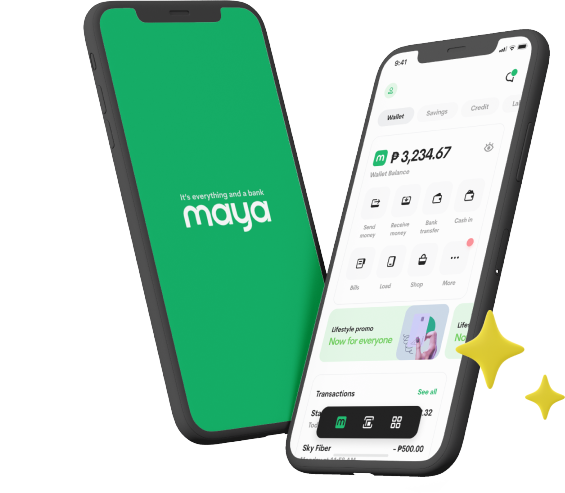
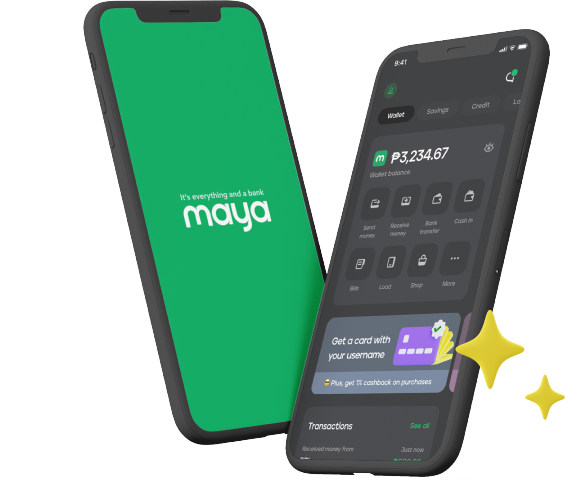
With Maya, you can skip much of this hassle. Our free PayPal cashout offer lets you withdraw from PayPal into your Maya Wallet without incurring transfer fees. It’s a streamlined alternative built for freelancers who need fast, frictionless access to their funds, especially when using Maya as a reliable freelancer payment method.
How to Avoid Delays When You Withdraw Money from PayPal
Delays when you withdraw money from PayPal can be frustrating, but they're often avoidable. By taking a few proactive steps, freelancers and other digital professionals can make the cashout process more streamlined and dependable.
Here are five smart ways to minimize wait times and keep your funds moving without hiccups:
1. Link Maya Wallet to PayPal for Seamless Transfers
Many freelancers encounter delays when they withdraw from PayPal due to account mismatches or improperly linked wallets. To avoid this, make sure your Maya Wallet is fully set up before initiating a transfer. After upgrading your Maya account and activating your free virtual or physical Maya Card, go to PayPal’s Wallet section, select “Link Card,” and enter your Maya card details.
This direct setup helps your PayPal cashout land securely in your Maya Wallet without third-party routing, banking errors, or failed authentication. With Maya’s free transfer promo, you also skip transfer costs and time-consuming snags. Once linked, withdrawals are faster and more reliable, giving freelancers better control over their gig payments.
2. Cash Out During Off-Peak Hours to Avoid Queue Delays
Withdrawal requests made during peak hours can experience slower processing due to higher traffic. By timing your PayPal cashout during early mornings or late evenings locally, you may just receive funds faster and with fewer delays.
Maya lets you track your money in real time, so you’re notified the moment funds hit your account. With reliable crediting, you stay in control and avoid surprises that could disrupt your freelance flow.
3. Monitor FX Rates Before You Cash Out
Foreign currency conversions can quietly eat into your freelance earnings, especially if you’re receiving pesos from a dollar-based PayPal account. With Maya, you can view the applicable exchange rate during the PayPal cashout process so you know exactly how much you’ll receive in pesos once the sender completes the transfer. This transparency helps you make smarter timing decisions and avoid unpleasant surprises.
Whether it’s a one-time gig payment or recurring freelance payroll, seeing the conversion upfront gives you greater control and helps you make the most of every peso.
4. Activate Notifications for Transaction Success
Stay on top of your finances by enabling transaction alerts within Maya. You’ll be notified the moment gig payments are transferred to your account, helping you track each withdrawal and catch potential issues early.
With Maya’s real-time app notifications and seamless user experience, you won’t need to guess where your money is or worry when it’ll arrive. You can focus on your craft, knowing your cash flow is being tracked in real time
5. Opt for Platforms with Instant Credit Access
Freelancing comes with financial peaks and valleys, and sometimes, waiting long for a payout simply isn’t something you can tolerate. Maya Easy Credit offers eligible freelancers instant access to revolving funds, giving you a cushion between projects or support for unexpected expenses.
Combined with Maya’s full suite of financial tools, from high-interest savings to crypto investing, you get a flexible, future-ready platform that adapts to the rhythm of your life as a freelancer.
Why Maya Is the Freelancer Payment Method That Works for You
Being a freelancer shouldn’t mean giving up financial perks. With Maya, financial freedom isn’t just possible; it’s built in. From gig worker payments to savings and credit access, everything’s in one app that’s made for freelancers.
Need to withdraw from PayPal and use your money in cash? Maya makes it easy with a physical Maya Card that lets you withdraw at ATMs, shop online or in-store, and manage money on your terms. If you’re a virtual assistant or remote gig worker who prefers cash-ready flexibility, Maya also doubles as a reliable virtual assistant payment method.
And we help you plan beyond today. Maya Savings lets you earn a base interest of 3% p.a., beginning May 1, 2026, with boosted rates up to 15% p.a.** when you actively use Maya for payments, bills, and other financial activities on balances up to PHP 100,000. You also get access to freelancer-exclusive benefits, such as travel perks, insurance, subscriptions, and essential work tools, bringing full-time perks to freelance life.
Delays, fees, and platform limits shouldn’t stand in the way of accessing what you’ve earned. Whether it’s gig payments, client transfers, or budget planning for your next project, knowing how to withdraw money from PayPal the smart way gives you control and clarity. With Maya, you’re not just getting another wallet but a dependable partner built to support how freelancers work and get paid. Download the Maya app today and experience tools shaped around the way you earn.
*Base interest rate applies to total deposit balance.
**Bonus interest applies to deposit balance of up to ₱100,000.
T&Cs apply. Learn more at www.mayabank.ph/highinterestsavings
You might also like
These Stories on Maya

3 min read
Apr 29, 2026, 4:14:59 PM |

5 min read
Feb 3, 2026, 10:30:00 AM |
It’s everything and a bank. What more could you need?
For existing PayMaya users, update your app to Maya